 易网时代-编程资源站
易网时代-编程资源站
易网时代-编程资源站 /*** 保存手势密码*/ private void saveChosenPattern(List<LockPatternView.Cell> cells) {byte[] bytes = LockPatternUtil.patternToHash(cells); aCache.put(Constant.GESTURE_PASSWORD, bytes);}Warning: 使用 ACache 类保存密码并不是无限期的. 具体期限可以查看 ACache 类./*** Generate an SHA-1 hash for the pattern. * Not the most secure, but it is at* least a second level of protection. First level is that the file is in a* location only readable by the system process.* * @param pattern* @return the hash of the pattern in a byte array.*/public static byte[] patternToHash(List<LockPatternView.Cell> pattern) { if (pattern == null) { return null;} else {int size = pattern.size(); byte[] res = new byte[size];for (int i = 0; i < size; i++) {LockPatternView.Cell cell = pattern.get(i);res[i] = (byte) cell.getIndex(); } MessageDigest md = null; try {md = MessageDigest.getInstance("SHA-1"); return md.digest(res);} catch (NoSuchAlgorithmException e) {e.printStackTrace(); return res; }} }可以开启震动模式,当选中一个圈的时候,手机会震动/** * Set whether the view will use tactile feedback.*If true, there will be* tactile feedback as the user enters the pattern.* @param tactileFeedbackEnabled Whether tactile feedback is enabled*/ public void setTactileFeedbackEnabled(boolean tactileFeedbackEnabled) { mEnableHapticFeedback = tactileFeedbackEnabled;}可以开启绘制路径隐藏模式/*** Set whether the view is in stealth mode. If true, there will be no* visible feedback as the user enters the pattern.* @param inStealthMode Whether in stealth mode.*/public void setInStealthMode(boolean inStealthMode) { mInStealthMode = inStealthMode;}Example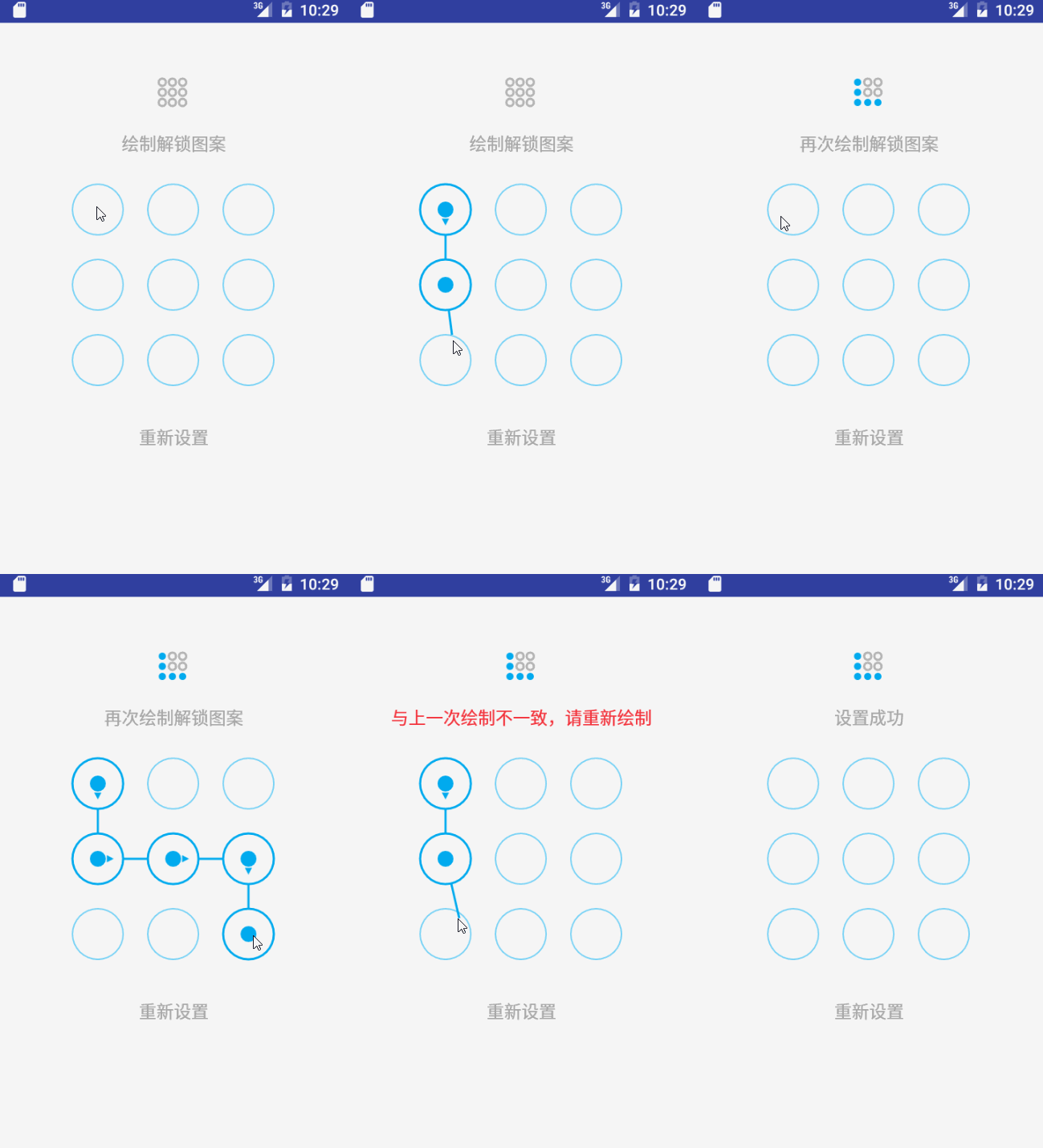
以上就是本文的全部内容,希望对大家的学习有所帮助,也希望大家多多支持脚本之家。