 易网时代-编程资源站
易网时代-编程资源站
易网时代-编程资源站 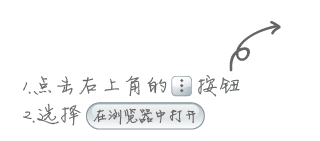
(1)在你的服务器上写一个下载详情页面,将app下载链接放上去。这里设计的是:使用JS+HTML+CSS结合的方式,用移动h5技术适配了手机版网页,不会在已进入微信就弹出提示它在新浏览器中打开,因为你还可以在这个页面里做一些提交表单查看信息等操作。只有用户点击应用下载链接才弹出遮罩提示跳转至新的浏览器下载,如图:
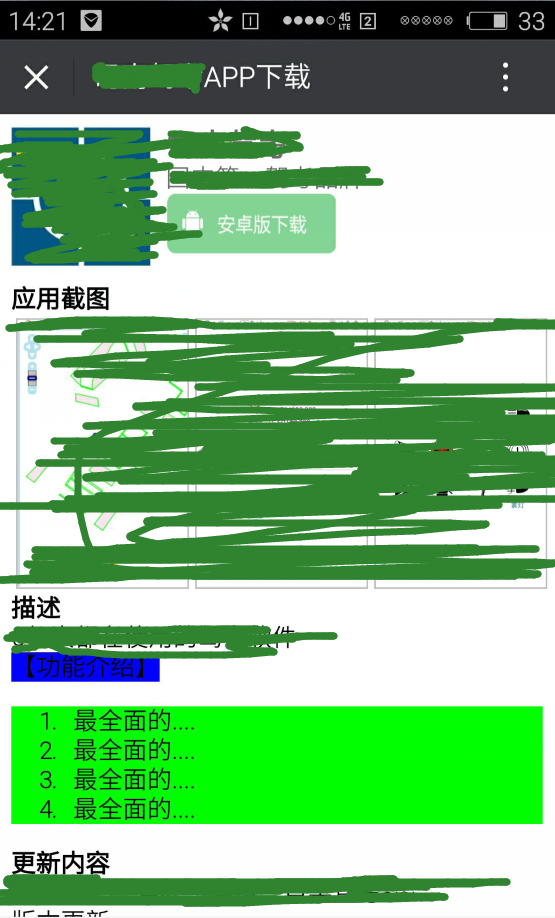
(2)把下载页面的URL地址,通过"草料二维码"生成一个二维码,如图:

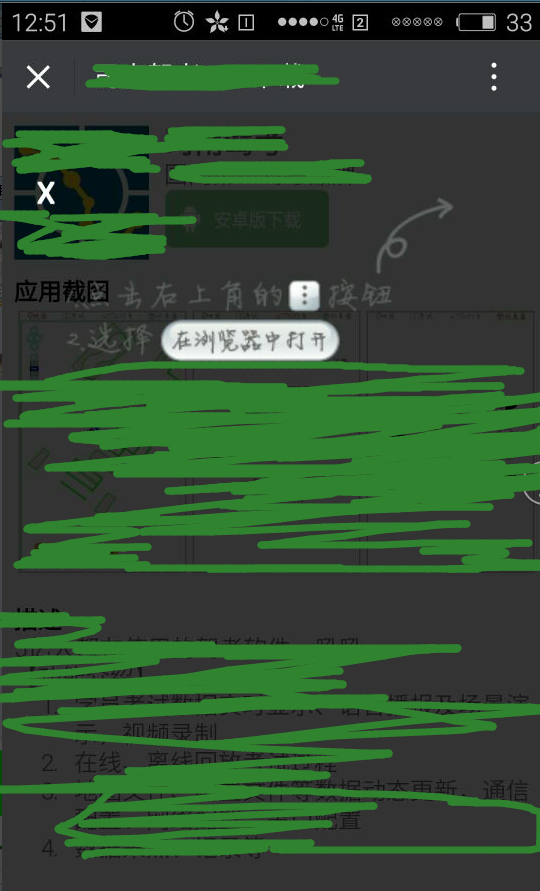
(3)如果是在微信里扫一扫打开的,当用户点击“安卓版下载”的时候,就提示用户要在默认浏览器中打开,如图:
(4)其实扫描二维码,就是访问一个url,可以在后台统计url被访问的次数,就是扫描二维码的次数了。
贴出关键代码:
public class Counter{private int count; public Counter(){this(0);}public Counter(int count){this.count=count;}public void setCount(int count){this.count=count;}public int getCount(){return count;}public void add(int step){count+=step;}}/** * 统计页面访问的次数,并在关闭应用时将其保存到文件,待下次启应用时读取次数。 * @author Joanna.Yan * */public class MyServletContextListener implements ServletContextListener{public void contextInitialized(ServletContextEvent sce){System.out.println("====================helloapp application is Initialized.==========");ServletContext context=sce.getServletContext();try{BufferedReader reader = new BufferedReader(new InputStreamReader(context.getResourceAsStream("/count/count.txt")));int count = Integer.parseInt(reader.readLine());reader.close();Counter counter = new Counter(count);context.setAttribute("counter",counter);}catch(IOException e){e.printStackTrace();}}public void contextDestroyed(ServletContextEvent sce){System.out.println("helloapp application is Destroyed.");ServletContext context=sce.getServletContext();Counter counter=(Counter)context.getAttribute("counter");if(counter != null){try{String filepath = context.getRealPath("/count");filepath = filepath+"/count.txt";PrintWriter pw= new PrintWriter(filepath);pw.println(counter.getCount());pw.close();}catch(IOException e){e.printStackTrace();};}}}web.xml中注册监听器:<listener><listener-class>joanna.yan.listener.MyServletContextListener</listener-class> </listener>web.xml中注册servlet:
<servlet><servlet-name>QRCodeServlet</servlet-name><servlet-class>joanna.yan.servlet.QRCodeServlet</servlet-class> </servlet> <servlet-mapping><servlet-name>QRCodeServlet</servlet-name><url-pattern>/QRCode</url-pattern> </servlet-mapping>
public class QRCodeServlet extends HttpServlet{@Overrideprotected void doGet(HttpServletRequest req, HttpServletResponse resp)throws ServletException, IOException {doPost(req, resp);}@Overrideprotected void doPost(HttpServletRequest req, HttpServletResponse resp)throws ServletException, IOException {System.out.println("QRCodeServlet被访问了!");ServletContext context=getServletContext();Counter counter=(Counter) context.getAttribute("counter");if(counter==null){counter=new Counter(1);context.setAttribute("counter", counter);}counter.add(1);System.out.println("被扫描的次数:"+counter.getCount());resp.sendRedirect(""+req.getContextPath()+"/apkdownload.jsp");}}设置适配移动端屏幕,禁止浏览器的缩放功能:<meta name="viewport" content="width=device-width,initial-scale=1.0,maximum-scale=1.0"><style type="text/css"> #weixin-tip{display:none;position:fixed;left:0;top:0;background:rgba(0,0,0,0.8);filter:alpha(opacity=80);width:100%;height:100%;z-index:100;} #weixin-tip p{text-align:center;margin-top:10%;padding:0 5%;position:relative;} #weixin-tip .close{color:#fff;padding:5px;font:bold 20px/24px simsun;text-shadow:0 1px 0 #ddd;position:absolute;top:0;left:5%;}</style><script type="text/javascript">var is_weixin = (function(){return navigator.userAgent.toLowerCase().indexOf("micromessenger") !== -1;})();window.onload = function() {var winHeight = typeof window.innerHeight != "undefined" ? window.innerHeight : document.documentElement.clientHeight; //兼容IOS,不需要的可以去掉var btn = document.getElementById("J_weixin");var tip = document.getElementById("weixin-tip");var close = document.getElementById("close");if (is_weixin) {btn.onclick = function(e) {tip.style.height = winHeight + "px"; //兼容IOS弹窗整屏tip.style.display = "block";return false;};close.onclick = function() {tip.style.display = "none";};}};</script>....你的网页代码......<div id="weixin-tip"><p><img alt="微信打开" src="img/warn.png"><span id="close" title="关闭" class="close">X</span></p></div>以上就是本文的全部内容,希望本文的内容对大家的学习或者工作能带来一定的帮助,同时也希望多多支持脚本之家!