 易网时代-编程资源站
易网时代-编程资源站
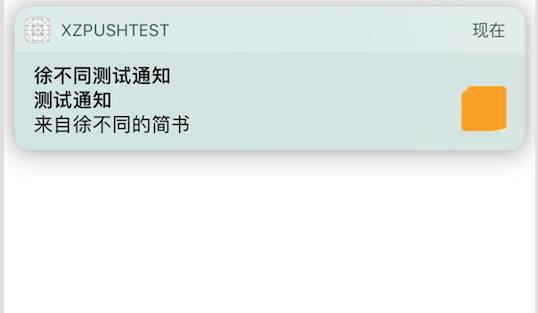
易网时代-编程资源站 // 1.创建一个UNNotificationRequestNSString *requestIdentifer = @"TestRequest";UNNotificationRequest *request = [UNNotificationRequest requestWithIdentifier:requestIdentifer content:content trigger:trigger];// 2.将UNNotificationRequest类,添加进当前通知中心中[[UNUserNotificationCenter currentNotificationCenter] addNotificationRequest:request withCompletionHandler:^(NSError * _Nullable error) {}];在创建UNNotificationRequest类时,官方的解释是说,一个通知请求可以在预定通过时间和位置,来通知用户。触发的方式见UNNotificationTrigger的相关说明。调用该方法,在通知触发的时候。会取代具有相同标识符的通知请求,此外,消息个数受系统限制。// 1.创建通知内容UNMutableNotificationContent *content = [[UNMutableNotificationContent alloc] init];content.title = @"徐不同测试通知";content.subtitle = @"测试通知";content.body = @"来自徐不同的简书";content.badge = @1;NSError *error = nil;NSString *path = [[NSBundle mainBundle] pathForResource:@"icon_certification_status1@2x" ofType:@"png"];// 2.设置通知附件内容UNNotificationAttachment *att = [UNNotificationAttachment attachmentWithIdentifier:@"att1" URL:[NSURL fileURLWithPath:path] options:nil error:&error];if (error) {NSLog(@"attachment error %@", error);}content.attachments = @[att];content.launchImageName = @"icon_certification_status1@2x";// 2.设置声音UNNotificationSound *sound = [UNNotificationSound defaultSound];content.sound = sound;// 3.触发模式UNTimeIntervalNotificationTrigger *trigger = [UNTimeIntervalNotificationTrigger triggerWithTimeInterval:5 repeats:NO];// 4.设置UNNotificationRequestNSString *requestIdentifer = @"TestRequest";UNNotificationRequest *request = [UNNotificationRequest requestWithIdentifier:requestIdentifer content:content trigger:trigger1];//5.把通知加到UNUserNotificationCenter, 到指定触发点会被触发[[UNUserNotificationCenter currentNotificationCenter] addNotificationRequest:request withCompletionHandler:^(NSError * _Nullable error) {}];通过以上代码,我们就可以创建一个5秒触发本地通知,具体样式可以看下图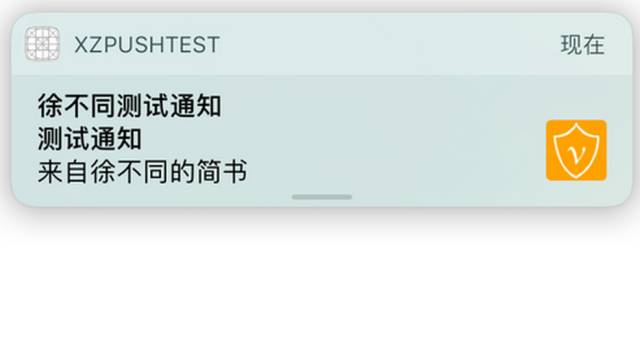
下拉放大content.launchImageName = @”icon_certification_status1@2x”;显示的图片是这行代码的效果,如图
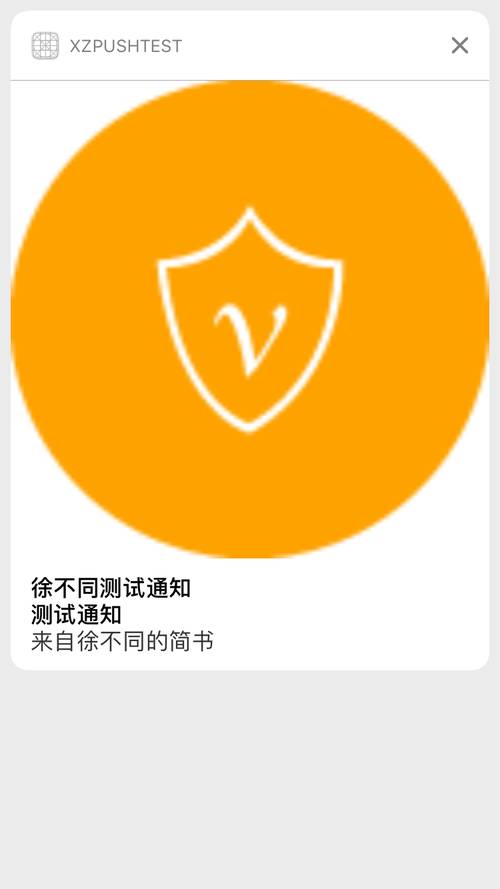
根据上面内容,大家会发现在创建UNNotificationRequest的时候,会需要UNMutableNotificationContent以及UNTimeIntervalNotificationTrigger这两个类。下面我就对相关的类,以及类扩展,做相应的说明。
1.UNNotificationContent以及UNMutableNotificationContent(通知内容和可变通知内容)
通知内容分为可变的以及不可变的两种类型,类似于可变数组跟不可变数组。后续我们通过某一特定标识符更新通知,便是用可变通知了。
不管是可变通知还是不可变通知,都有以下的几个属性:
// 1.附件数组,存放UNNotificationAttachment类@property (NS_NONATOMIC_IOSONLY, copy) NSArray *attachments ;// 2.应用程序角标,0或者不传,意味着角标消失@property (NS_NONATOMIC_IOSONLY, copy, nullable) NSNumber *badge;// 3.主体内容@property (NS_NONATOMIC_IOSONLY, copy) NSString *body ;// 4.app通知下拉预览时候展示的图@property (NS_NONATOMIC_IOSONLY, copy) NSString *launchImageName;// 5.UNNotificationSound类,可以设置默认声音,或者指定名称的声音@property (NS_NONATOMIC_IOSONLY, copy, nullable) UNNotificationSound *sound ;// 6.推送内容的子标题@property (NS_NONATOMIC_IOSONLY, copy) NSString *subtitle ;// 7.通知线程的标识@property (NS_NONATOMIC_IOSONLY, copy) NSString *threadIdentifier;// 8.推送内容的标题@property (NS_NONATOMIC_IOSONLY, copy) NSString *title ;// 9.远程通知推送内容@property (NS_NONATOMIC_IOSONLY, copy) NSDictionary *userInfo;// 10.category标识@property (NS_NONATOMIC_IOSONLY, copy) NSString *categoryIdentifier;以上的的属性,我都增加了相应的说明,大家可以对照我的注释来使用。
下面是创建UNNotificationAttachment的方法:
+ (nullable instancetype)attachmentWithIdentifier:(NSString *)identifier URL:(NSURL *)URL options:(nullable NSDictionary *)options error:(NSError *__nullable *__nullable)error;注意:URL必须是一个有效的文件路径,不然会报错
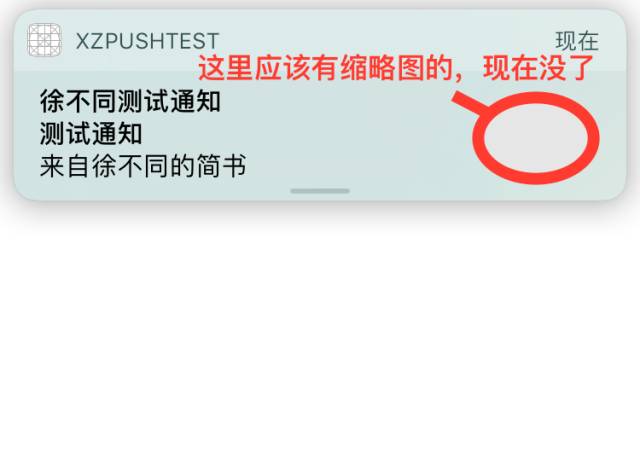
大家可以对照上面的图来看,就明白是哪里的图消失了。
使用方法如下:
dict[UNNotificationAttachmentOptionsThumbnailHiddenKey] = @YES;
3UNNotificationAttachmentOptionsThumbnailClippingRectKey剪贴矩形的缩略图。这个密钥的值是包含一个归一化的CGRect – 也就是说,一个单元的矩形,其值是在以1.0〜 0.0 ,表示要显示的原始图像的所述部分的字典。例如,指定的(0.25 , 0.25)的原点和大小(0.5 ,0.5 )定义了剪辑矩形,只显示图像的中心部分。使用CGRectCreateDictionaryRepresentation函数来创建字典的矩形。
上面这句话是苹果的翻译,太绕口了。我简单说,就是我下面这幅图。

整张图被分割了,整体比例为1,如果想得到图中阴影面积,就需要写的CGRect(0.5,0.5,0.25,0.25),意思是,从(0.5,0.5)为原点,面积为(0.25,0.25),大家可以理解成,即下面的方法。
使用方法如下:
dict[UNNotificationAttachmentOptionsThumbnailClippingRectKey] = (__bridge id _Nullable)((CGRectCreateDictionaryRepresentation(CGRectMake(0.5, 0.5, 0.25 ,0.25))));;使用上面的方法,可以得到一张图的阴影部分的图像,这张图像会是通知的缩略图。比如我下面的这个图,缩略图大家应该可以发现变了吧。
这里为了理解,在给大家说几个”坐标点”:
(0,0,0.25,0.25)左上角的最小正方形
(0,0,0.5,0.5) 四分之一的正方形,左上角
(0.5,0.5,0.5,0.5)四分之一的正方形,右下角
(0.5,0,0.5,0.5)四分之一的正方形,左下角
(0.25,0.25,0.5,0.5)最中心的正方形
特别注意:
调试到这里的时候,我感觉苹果应该是有个bug,就是我在来回变化这个显示缩略图的frame的时候,来回改,永远显示为第一次写的frame。我在修改UNNotificationRequest的requestIdentifer属性后,可以变换属性。所以我猜测可能相同requestIdentifer的通知,算一个通知,所以只能调用更新的方法,来变化缩略图的吃不腻吧,或许也不是bug。
4UNNotificationAttachmentOptionsThumbnailTimeKey,一般影片附件会用到,指的是用影片中的某一秒来做这个缩略图;
使用方法如下:
dict[UNNotificationAttachmentOptionsThumbnailTimeKey] =@10;
这里我们可以直接传递一个NSNumber的数值,比如使用影片第10s的画面来做缩略图就按照上面的来写。此外,要注意的是,这个秒数必须是这个影片长度范围内的,不然报错。
3.UNTimeIntervalNotificationTrigger (通知触发模式)
这个我在!(这篇文章中已经初步介绍了,现在我在详细介绍下)[www.baidu.com]这篇文章中已经初步介绍了,现在我在详细介绍下。
1.UNPushNotificationTrigger (远程通知触发)一般我们不会使用的
2.UNTimeIntervalNotificationTrigger (本地通知) 一定时间之后,重复或者不重复推送通知。我们可以设置timeInterval(时间间隔)和repeats(是否重复)。
使用方法:
UNTimeIntervalNotificationTrigger *triggerOne = [UNTimeIntervalNotificationTrigger triggerWithTimeInterval:5 repeats:NO];
解释:上面的方法是指5秒钟之后执行。repeats这个属性,如果需要为重复执行的,则TimeInterval必须大于60s,否则会报* Terminating app due to uncaught exception "NSInternalInconsistencyException", reason: "time interval must be at least 60 if repeating"的错误!**
3.UNCalendarNotificationTrigger(本地通知) 一定日期之后,重复或者不重复推送通知 例如,你每天8点推送一个通知,只需要dateComponents为8。如果你想每天8点都推送这个通知,只要repeats为YES就可以了。
// 周一早上 8:00 上班NSDateComponents *components = [[NSDateComponents alloc] init];// 注意,weekday是从周日开始的,如果想设置为从周一开始,大家可以自己想想~components.weekday = 2;components.hour = 8;UNCalendarNotificationTrigger *trigger = [UNCalendarNotificationTrigger triggerWithDateMatchingComponents:components repeats:YES];4.UNLocationNotificationTrigger (本地通知)地理位置的一种通知,使用这个通知,你需要导入
#import这个系统类库。示例代码如下://1、如果用户进入或者走出某个区域会调用下面两个方法- (void)locationManager:(CLLocationManager *)managerdidEnterRegion:(CLRegion *)region- (void)locationManager:(CLLocationManager *)managerdidExitRegion:(CLRegion *)region代理方法反馈相关信息//2、一到某个经纬度就通知,判断包含某一点么// 不建议使用!!!!!!CLRegion *region = [[CLRegion alloc] init];// 不建议使用!!!!!!CLCircularRegion *circlarRegin = [[CLCircularRegion alloc] init];[circlarRegin containsCoordinate:(CLLocationCoordinate2D)];UNLocationNotificationTrigger *trigger4 = [UNLocationNotificationTrigger triggerWithRegion:circlarRegin repeats:NO];注意,这里建议使用CLCircularRegion这个继承自CLRegion的类,因为我看到苹果已经飞起了CLRegion里面是否包含这一点的方法,并且推荐我们使用CLCircularRegion这个类型